-
Search Results
-
First time posting on here so please go easy on me.
Right I have a pi2 with a fresh copy of retropie 3 installed.
I put in a wired 360 controller and after the initial setup it works
flawlessly although the light blinks.I thought I would plug in another wired 360 controller and after another
initial setup in emulationststion both controllers could navigate the menu
fine.After booting up random snes nes and n64 games the second controller would
either not work, become player 1 and be the only controller that works or
become player two and be the only controller that works.I understand I have to either manually edit a config file or use some gui
to setup both controllers but I can’t for the life of me find any
documentation or guides for ret3 anywhere.I tried using a “how to use 360 controller in retropie” page that seemed to
be dated March, I ended up doing the daemon script and adding it to rc.d
etc and after reboot the controllers lit up as player 1 and 2 but every
boot of a game showed a ton of controllers recognised. So I reverted to not
using the xboxdrv thingy and I was back to the original setup.All I’m after is two wired 360 controllers working as player 1 and player
2….Topic: help with n64 emulation?
Hello!
I’m new to retropie but I have a raspberry pi 2 that I set up with version 2.6 from the sd card image.I’ve been trying to play Paper Mario and Legend of Zelda OOT. They both run, a lil glitchy on the n64. Paper Mario has messed up menus and text boxes, and a lot of things are like double or triple vision which makes them hard to read. Zelda crashes if you save, or even go to that menu.
I decided to try n64-mupen64plus because I’d read it would be better, but both roms crashed before I could even make a save file. Zelda crashed at the black mupen64 terminal screen and paper mario crashed when I pressed start on the start screen. In both cases, the entire pie became unresponsive, and I had to pull the power and reboot.
Then I switched to the rice plugin. Zelda I can now get to pick a name, but the buttons map wrong and it wont display the letters I input, nor will it let me continue past that point. And Mario freezes at the same place, but this time the audio keeps going and I can exit, so the entire pie is Not frozen. It’s an improvement, but neither game is playable this way.Can anyone help me get these working, maybe post their configurations if it’s a video thing or help me understand whats going on?
Thanks a bunch :)
EdIT: if it helps at all I’m using a gamecube controller.
I am trying to map my console (I built a cabinet) to the n64mupen emulator. I found instructions for mapping a USB controller. When I search the mupen64plus.cfg the only controller that shows with a name is “keyboard”. I was assuming as the joystick and buttons are connected to the RPi GPIO inputs, it may register as a keyboard? But I get no luck changing those figures (although I am not sure I am going it correctly). I tried “button (5)” format, and just “5”.
The controls work perfect in all the emulators that us the retropie.cfg so I know they map. I just can’t figure out how to map them manually for n64mupen.
What I have so far…
Raspberry Pi 2 Model B
Retropie 2.6
Cideko Air Keyboard Conqueror controllerSo before Easter Sunday I’ve been using an early Raspberry Pi (original) No problems whatsoever apart from being sluggish on higher-end systems such as N64 and PSX.
I upgraded on a whim to Pi 2.
The only problem I’ve had so far, is a particularly annoying one. After every reboot, the initial “Welcome” config screen appears saying, “No Gamepads Detected Hold A button on your device to configure it. Press F4 to quit at any time.
To be clear here, these are the basic controller configurations that allow easy controller based navigation through Emulation Station.
Every time, I go through the configuration up down left right b, a, start, select, left, right… blah blah blah…
Everything works fine. I can start games, back out of games, play them correctly as the retroarch controller mappings work just fine, but the second I reboot… I lose my Emulation Station mappings.So here’s something I’ve noticed through out my many… many… many reboots to test various fixes and tweaks.
The dongle for this particular controller, displays a blue light when it’s receiving from the controller. During boot, and until about 5-10 seconds after the “Welcome” screen I described earlier is displayed the light is solid blue, no matter what buttons are pressed.
To me it feels like the USB ports are not actually initializing in time for whatever auto-detection features are used to sniff a controller before starting this mapping script. Perhaps bumping the USB driver loading priority?Does anyone have any ideas on this one? The obvious answer would be to use a different controller, but this particular one incorporates a Mouse, Keyboard, and for all intents and purposes, a PS1 controller into one device and a single dongle.
What kills me is, it still works just fine on my old Pi.
Any thoughts?
Topic: 3.0 N64 Emulation error
Hi, I recently updated to 3.0, and I’ve tried to change the emulator for a ROM (LOZ: Ocarina of Time) to Mupen64plus, and 64rice, but they both come back with UI error code “Failed to open ROM”. Any thing I’m overlooking?
Thanks!
I’ve been trying for a few hours now and I have no idea how to get multiple controllers working on RetroArch or Mupen64. Using standard Xbox 360 wireless controllers with dongle.
Here is my .cfg file
input_device = “Xbox Gamepad (userspace driver)”
input_driver = “udev”
input_b_btn = “4”
input_y_btn = “6”
input_select_btn = “12”
input_start_btn = “13”
input_up_axis = “-1”
input_down_axis = “+1”
input_left_axis = “-0”
input_right_axis = “+0”
input_a_btn = “5”
input_x_btn = “7”
input_l_btn = “8”
input_r_btn = “9”
input_l2_btn = “10”
input_r2_btn = “11”
input_l3_btn = “15”
input_r3_btn = “16”
input_l_x_plus_btn = “3”
input_l_x_minus_btn = “2”
input_l_y_plus_btn = “1”
input_l_y_minus_btn = “0”
input_r_x_plus_axis = “+2”
input_r_x_minus_axis = “-2”
input_r_y_plus_axis = “+3”
input_r_y_minus_axis = “-3”
input_enable_hotkey_btn = “12”
input_exit_emulator_btn = “13”
input_load_state_btn = “8”
input_save_state_btn = “9”
input_state_slot_increase_axis = “11”
input_state_slot_decrease_axis = “10”
I can’t the only one, has no one else seen this? I’m using the out of box retropie 3.0 build. Updating mupen64plus from source to see if that downloads it and fixes this.
Hi There,
First of all, I’d like to thank you for all the precious information available on this website.
Thanks to this, I’ve already been able to:
– Install the RetroPie image on my Raspberry Pi 2
– Configure my PS3-like (now autodetected) controllers in every RetroArch emulator.My material is:
– A Raspberry Pi 2
– HDMI and RJ45 cables
– A 8 GB class-10 µSD cardIn order to make it more fun, I bought here and there several types of controllers depending on the system I want to play with.
– 2 wired BigBen controllers PS3-like
http://i11.twenga.com/jeux-video/manette-ps3/bigben-interactive-wired-controller-tp_359060270709389703f.jpg
– 2 wired controllers SNES-like
http://www.dropship-uk.co.uk/ekmps/shops/tddropship/images/usb-pc-retro-gaming-controller-joypad-snes-style-pad-black-4463-p.jpg
– 2 wired controllers NES-like
http://cdn1.coolstuff.com/autogen/preset/aspectThumb/1200×900/9f6a2066b1eb80cbf26ed06a154bacf0.jpg
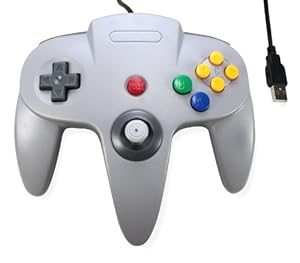
– 2 wired controllers N64-like
http://ecx.images-amazon.com/images/I/4128BT2KojL._SX300_.jpg
– A USB keyboardMy open points are the following:
– When I play a PSX game, the game is launched in a kind of window/frame. This window/frame fits more or less the size of my TV. The problem is that within the frame, the game is slightly zoomed which makes the image being cropped. The problem was specific to CTR. When I start another game before, and then CTR, the image is not cropped anymore. Strange but working workaround. :)
– For PSX, I’ve another issue: the graphics are not so good. Reason is that by default no shader is used. My questions are: 1) will using a shader on a Pi2 prevent a full speed emulation for PSX ? 2) which one are you using ? always the same for each game ? solved by setting “smooth_video” parameter to true in the “all” retroarch.cfg file.
– I saw that the RetroArch emulator for SNES is PocketSnes. With this emulator, I have some compatibility issues (display glitches, …) with some Roms (e.g. DBZ Super Butoden 2 in FR – I precise I use the good rom, the one with the ‘!’ in the filename). In Snes9x the rom plays nicely. So you can (and should ;) ) tell me: “then use Snes9x”. The issue is that Snes9x does not seem to use the configs defined in file “UsbGamepad.cfg”. So my question is : within PocketSnes, are there some settings that would help getting a better emulation ?
– For N64, I also use the RetroArch emulator in order to get benefit from all the standards (UsbGamepad.cfg). The problem is that Mario Kart M3 (E) ! rom is a mess on that emulator. Even the “press start screen” is buggy. Again, are there some settings that would enhabce the emulation ? I hope so because I never read elsewhere that someone had such an issue with that rom. FYI, this rom plays nicely on other emulators and on other platforms also.
As you can read, I’m trying to use RetroArch as much as I can in order to have standard configs for all my emulators, … And I hope that some of you have succeeded in configuring their RetroPie like this so you can give me some advises.
Have a wonderful weekend,
Regards.J.
I have my PS3 Bluetooth connecting great. They work perfect in Muten n63 but in Libretro I they are not setup. I can’t steer at all in Mario Cart 64 for example. Is there something special that needs to be done to setup the controllers setup for Libretro?
Topic: N64 Optimization
I was wondering if there was any way to make the ROMs run a bit smoother. I’ve used both the libreto and mupen64plus versions and they are still a tad buggy. A few games that I’ve had issues with specifically are Pokemon Snap, Pokemon Stadium 2, and LOZ: Ocarina of Time. I can’t get them to run as smoothly as in this youtube vid. https://www.youtube.com/watch?v=zRYS2qlFrCo
Any thoughts?
Hi all –
My fault, I didn’t backup, but I lost my es_systems.cfg file… I was fiddling with mupen64plus which got stuck and after rebooting my es_systems.cfg file was empty.
Where can I find a default es_systems.cfg file? Mind that I need the one for ReotroPie 3.0 (i.e. the one with the _SYS_ args in the launch commands).
Thanks in advance!
I have everything as i want it on the software side, but i cant get the wireless xbox controller to work in this emulator (it works in all the others).
I have been editing the retroarch.cfg files for the other emulators, but i cant find one for this one? Am i overlooking something or is it a general problem? I havent found anyone with the same problem by using google.. That makes me think its me that is the problem :(
Herbfargus are you the one that is going to save me again?
Hola! I was running Retropie 2.6, and decided to upgrade to the beta image. I flashed a fresh image onto my sd card and decided to start from the ground up in reconfiguring my setup. I’ve run into a slew of problems, and was hoping for some help.
1) I have 2 Retrolink N64 controllers which used to work flawlessly, and now the button mapping is all screwed up. I can’t find the source of their errors.
2) I can’t exit the emulator anymore, where do I write the exit emulator line?
3) Some games, like Mario kart 64 for example, bug out hardcore. The Nintendo logo renders fine, the sound works, but the graphics past that are all distorted and unviewable. It worked like a champ in 2.6 with the experimental package running.
4) My GBA emulator won’t run anymore. I’ve placed the BIOS both in the BIOS folder, and at the gpsp location (which is no longer the Gba_bios.bin home?) but the games will start and then return to Emulation station after a few seconds. This also worked pre-3.0.Any help in this matter is greatly appreciated! Thanks in advance!
Hi all,
I ve managed to make my two NES30 controllers (8bitdo) work with NES, SNES and Amiga emulators but I’m really struggling to make it work with mupen64plus.
Via lr-mupen64plus:
Aside from the messed up menu e.g. in MarioKart64 it seems like its at least partly using the retroarch.cfg file. During start it shows the correct controller in yellow letters and I m able to go ‘left/right/up/down’ in the menus, go backwards with ‘B’ and choose a setting via ‘A’. Also the combination “select start” finishes a game. But surprisingly while playing the game I cant move to the left/right/up/down anymore. Only the ‘input_r_btn’, ‘start’ and ‘A’ seems to have an effect here.Via gles2N64
Most important for me is to get gles2N64 running because It works better with MarioKart64 – but here I don’t even have any controls at all. Not a single button is working :(MY 8BitdoNES30GamePad.cfg under /opt/retropie/emulators/retroarch/configs looks like this:
input_device = “8Bitdo NES30 GamePad”
input_driver = “udev”
input_b_btn = “12”
input_y_btn = “15”
input_select_btn = “21”
input_start_btn = “22”
input_up_btn = “0”
input_down_btn = “5”
input_left_btn = “2”
input_right_btn = “3”
input_a_btn = “11”
input_x_btn = “14”
input_l_btn = “17”
input_r_btn = “18”input_enable_hotkey_btn = “21”
input_exit_emulator_btn = “22”
input_menu_toggle_btn = “14”
input_load_state_btn = “17”
input_save_state_btn = “18”
input_reset_btn = “12”
input_state_slot_increase_btn = “3”
input_state_slot_decrease_btn = “2”I adjusted the InputAutoCfg.ini like this just to see if it would have any effect on the control (but to no avail):
[8BITDO NES30]
plugged = True
plugin = 2
mouse = False
DPad R = key(3)
DPad L = key(2)
DPad D = key(5)
DPad U = key(0)
Start = key(22)
Z Trig = key(21)
B Button = key(12)
A Button = key(11)
C Button R = key(3)
C Button L = key(2)
C Button D = key(5)
C Button U = key(0)
R Trig = key(99)
L Trig = key(120)
Mempak switch = key(44)
Rumblepak switch = key(46)
X Axis = key(276,275)
Y Axis = key(273,274)Also I tried to transfer the values to mupen64plus.cfg – also didnt work out. Any suggestions would be highly apprechiated :)